

![图片[1]-Foxit PDF Editor Pro 2026.1.2.36540 Multilingual WIN-乐声音频-资源网](https://lsypstudio.com/wp-content/uploads/2026/07/image-24-300x300.png)
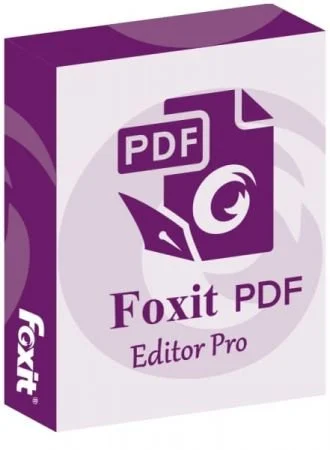
Foxit PDF Editor Pro 2026 是一款专为企业级用户打造的智能 PDF 管理平台,其最大突破在于首次深度整合了 Foxit DMS 文档管理系统,实现了从 PDF 高阶编辑、电子签名到云端权限合规归档的“单一事实来源”全生命周期管理 ];
同时,该版本依托全新 64 位原生架构,全面升级了生成式 AI 助手(支持文档自动摘要、安全智能脱敏 [1] 以及创新的“双人对话”语音朗读功能),并引入了微软双密钥加密(DKE)及最新 ISO 算法,辅以更直观的可视化文件合并操作,为跨团队的高效协同与严苛的数字资产审计提供了兼具卓越性能与极致安全保障的终极解决方案。
File size: 1.31 GB
Foxit PDF Editor(原名 Foxit PhantomPDF)是一款面向企业的 PDF 工具包,可用于创建专业美观的 PDF 文档和表单。您可以利用它完成各种任务,例如创建个人文档、实现工作组协作、设计公司表单、制作公司宣传材料、最终确定协议、应用数字签名或进行文档归档。
屡获殊荣的 Foxit PDF 创建工具让您能够快速、经济、安全地制作精美的 PDF 文档和表单。它是家庭/家庭办公室、中小企业和大型企业的理想之选。Foxit PDF 编辑器提供三个版本,以满足不同用户的各种使用需求。
这款 Foxit 软件可以合并、拆分或重新打包各种 PDF 文件。文档可以根据页码、页面轮廓或书签进行合并或拆分。此外,该套件还可以批量将现有文档转换为单个或多个 PDF 文件。
Foxit PDF 编辑器功能:
像专业人士一样编辑 PDF,
快速轻松地更新您自己的 PDF 文档。它像文字处理器一样工作——跨段落、分栏和页面重新排版文本;更改文档布局、修改文本大小、字体或行距,以及添加多媒体。
实时共享和协作,
与团队成员连接,提高灵活性和工作效率。集成主流内容管理系统,利用常用云存储服务,并发起共享评审,以提供和管理反馈。
轻松导出为常用文件格式
您可以将 PDF 内容导出为 Word、PowerPoint、Excel、RTF、HTML、文本和图像格式,方便地共享 PDF 内容。您可以导出整个文档,也可以只导出选定区域。
创建 PDF 文档和表单。
几乎可以从任何文件格式或网页创建 PDF、PDF/A、PDF/X 和 PDF/E 文件。创建 PDF 文件包,轻松共享多个文件;使用表单字段识别功能,快速创建交互式 PDF 表单以收集数据。渲染 PRC 3D PDF,并从 .DWG 文件创建 3D PDF。
轻松整理 PDF 文件
整理和操作 PDF 页面,助力您的工作流程。合并和拆分文档;在文件内或文档间拖放页面;添加图章、水印、页眉、页脚等。
妥善保护 PDF 文件,
保护机密文档中的信息。永久编辑和删除文本及图像,使用密码加密或 Microsoft AIP 保护文档,清理文档,并对 PDF 文件进行数字签名。
创建无障碍 PDF
文件,使残障人士能够使用辅助技术访问 PDF 文档,从而获取信息。检查 PDF 文件的无障碍性,以验证文档是否符合第 508 条款技术标准。
扫描和OCR纸质文档
扫描纸质文档或图像并将其转换为PDF格式。运行文本识别(OCR)功能,创建可选择和可搜索的文本。使文本可编辑,并像更新电子文档一样更新纸质文档。
系统要求:
Windows 10、
Windows 11;
Microsoft Office® 2013 或更高版本(某些 PDF 创建功能需要);
通过 Citrix XenApp® 7.13 验证,符合 Citrix Ready® 标准;
1.3 GHz 或更快的处理器(x86 兼容)或 ARM 处理器,Microsoft SQ1 或更高版本;
512 MB 内存(建议:1 GB 或更大);
2 GB 可用硬盘空间;
1024*768 屏幕分辨率;
支持 4K 及其他高分辨率显示器
Foxit PDF Editor (formerly) Foxit PhantomPDF is a business ready PDF toolkit to create professional looking PDF documents and forms. You can do that for tasks such as developing personal documents, implementing workgroup collaboration, designing company forms. Produce company collateral, finalizing agreements, applying digital signatures, or document archiving.
Award winning Foxit PDF creator allows you to produce great looking PDF document and forms quickly, affordably, and securely. This is the perfect solution for home/home offices, small and medium sized businesses, and large enterprises. Foxit PDF Editor comes in three versions to fit the diverse use cases that different users require.
This Foxit software can combine, split or repackage various PDF files. The documents can be merged or split based on page numbers, page outlines or bookmarks. Plus, this Suite can batch convert existing documents to a single or multiple PDF files.
Foxit PDF Editor Features
Edit PDF like a pro
Quickly and easily update your own PDF documents. Works like a word processor – reflow text across paragraphs, columns, and pages; change document layout, modify text size, font, or line spacing, and add multimedia.
Share and collaborate live
Connect teammates together to increase flexibility and results. Integrate with leading Content Management Systems, utilize popular cloud storage services, and initiate shared reviews to provide and manage feedback
Export to popular file formats
Easily share PDF content by exporting PDF to Word, PowerPoint, Excel, RTF, HTML, text, and image formats. Export the whole document or just a selected area.
Create PDF docs and forms
Create PDF, PDF/A, PDF/X, and PDF/E from virtually any file format or web pages. Make PDF Portfolios to easily share multiple files together and use Form Field Recognition to quickly create interactive PDF Forms to collect data. Render PRC 3D PDF and create 3D PDF from .DWG files.
Organize PDF the simple way
Organize and manipulate PDF pages to support your workflows. Merge and split documents; drag and drop pages within a file or from one document to another; and add stamps, watermarks, headers, footers, and more.
Protect PDF properly
Protect the information in your confidential documents. Permanently redact and remove text and images, secure documents with password encryption or with Microsoft AIP, sanitize documents, and digitally sign PDFs.
Create accessible PDF
Enable PDF document accessibility for people with disabilities who use assistive technology to have access to information. Check accessibility of PDF files to verify if the document complies with Section 508 technology standards.
Scan and OCR paper docs
Scan and convert paper documents or images to PDF. Run text recognition (OCR) to create selectable and searchable text. Make text editable and update hardcopy just like digital documents.
System Requirements
Windows 10
Windows 11
Microsoft Office® 2013 or later version (required for some PDF creation features)
Verified as Citrix Ready® with Citrix XenApp® 7.13
1.3 GHz or faster processor (x86 compatible) or ARM processor, Microsoft SQ1 or better
512 MB RAM (Recommended: 1 GB RAM or greater)
2 GB of available hard drive space
1024*768 screen resolution
Supports 4K and other high-resolution displays
Homepage
![乐器均衡器Final Mix Software WESTLAKE EQ III v3.0.3 [WiN, MacOSX]-乐声音频-资源网](https://lsypstudio.com/wp-content/uploads/2026/08/image-2026-08-07T221527.916-800x215.jpg)

![为您提供直接从录音中学习您喜爱的歌曲并高效练习的工具Aurally Sound Song Master PRO v5.0.02 [WiN]-乐声音频-资源网](https://lsypstudio.com/wp-content/uploads/2026/08/下载-6-1-800x512.jpg)

![母带处理的真正艺术Steinberg WaveLab Pro 13 v13.0.30 [WiN]-乐声音频-资源网](https://lsypstudio.com/wp-content/uploads/2026/08/下载-8-1-800x533.jpg)
![FM、频谱、波表、虚拟模拟和颗粒合成Steinberg HALion 7 v7.5.0 [WiN]-乐声音频-资源网](https://lsypstudio.com/wp-content/uploads/2026/08/下载-7-1-800x534.jpg)

![频谱动态压缩器-Sonible Smart Comp 3 v1.0.1 [WiN]-乐声音频-资源网](https://lsypstudio.com/wp-content/uploads/2025/12/image-521.png)
![母带处理-LANDR Mastering Plugin Pro v1.1.35 [WiN]-乐声音频-资源网](https://lsypstudio.com/wp-content/uploads/2025/12/image-522.png)