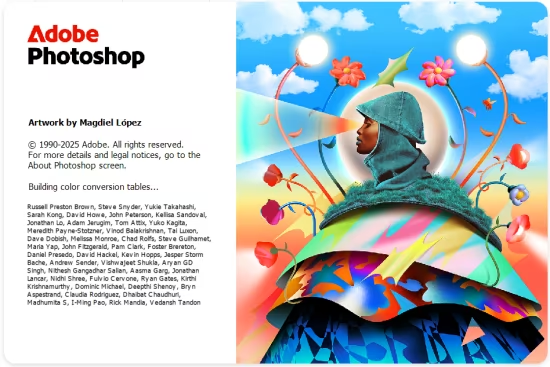
![图片[1]-Adobe Photoshop 2025 v26.11.5 x64 Multilingual-乐声音频-资源网](https://lsypstudio.com/wp-content/uploads/2026/04/image-2026-04-29T230141.651.jpg)
Adobe Photoshop,简称“PS”,是由Adobe Systems开发和发行的图像处理软件。
Photoshop主要处理以像素所构成的数字图像。使用其众多的编修与绘图工具,可以有效地进行图片编辑工作。ps有很多功能,在图像、图形、文字、视频、出版等各方面都有涉及。
Adobe Photoshop 2025 v25 26.x Win
信息:Adobe Photoshop是数字图像处理和编辑的行业标准软件,它提供了一套全面的专业修图工具,并包含众多强大的编辑功能,旨在激发创作灵感。
Adobe Photoshop 的功能——使用链接资源功能,只需更改一次资源即可在所有项目中更新。现在,您可以链接 Creative Cloud 库资源,在对资源进行更改后,团队成员可以选择是在 Illustrator、Photoshop 还是 InDesign 项目中更新它。
– 画板,提升设计效率。画板非常适合跨多个屏幕的响应式设计,您可以在其中创建多种尺寸的布局,将它们放置在一个文档中,并一次查看所有布局。您可以在画板之间复制和移动内容,一次导出一个或多个画板。
– 快速找到您所需的矢量或光栅图像。全新的Adobe Stock商店让您可以在Photoshop中查找、获取许可并管理免版税的图像和视频。从4000万种资源中进行选择,将它们保存到Creative Cloud Libraries中,并在您的项目中使用。
– 为设计师提供便捷且优化的环境。Photoshop中的新工具Design Space(预览版)支持一种特殊模式,该模式包含新的交互方式和功能,可消除不必要的鼠标移动,使设计师在移动应用和网站上的工作更加轻松。
– 图像导出更快更便捷。重新设计的导出工具让您只需一键即可导出单个图层、画板或整个文档。此外,在检索资源时,您可以使用更高效的压缩方式、更多包含舞台大小的预览选项以及更多功能。改进了保存功能,以便在网络上查看。
– 添加额外的图层样式以创建所需的效果。您可以轻松地将所选图层样式的多达10个实例(包括阴影、渐变叠加、颜色叠加、内部阴影和笔划)添加到图层或图层组中,并随时更改任何样式。无需在不同图层组中栅格化效果或叠加。
– 您可以确信,您的Photoshop项目在iOS设备上将呈现绝佳效果。通过在所需iOS设备的上下文中获得实时反馈,您可以精准预览您的移动应用或网页设计。Adobe Preview是一款可选的iOS应用,它允许您通过USB或Wi-Fi将设备连接到Photoshop,从而在处理项目的同时进行预览。
– 通过叠加噪点实现逼真的模糊效果。将单色和彩色噪点添加到模糊滤镜库中,使其尽可能接近原始图像,并在查看和打印时消除条纹。
– 恢复图像和应用补丁的速度比以往任何时候都快。使用Mercury图形引擎,修复画笔(包括斑点工具)和补丁工具的性能得到了提升。应用修复画笔的效果会实时显示,而斑点修复画笔和补丁工具的效果渲染速度比CS6快达120倍。
– “Glyphs”调色板可轻松访问所有项目中的字形。与Illustrator和InDesign中的相应面板类似,新版Photoshop中的“Glyphs”面板允许您查看当前所用字体可用的字形、查看选定字形的替代项,以及访问常用字形。
– 对移动和扩展对象的精确控制。改进的内容感知移动和扩展操作允许对浮动对象或可扩展区域进行精确缩放和旋转。使用“拖放时变换”功能,可根据图像的缩放和位置精确设置对象的最终位置。
– 通过内容感知自动填充功能,获得更高质量的全景图。内容感知填充功能让您只需勾选一个复选框,即可从多张图像中填充全景图的角落。
– 简化复杂的3D模型。轻松对3D模型进行降采样,以提高Photoshop的性能,并使您的3D资源能够在平板电脑、智能手机和其他设备上使用。
– 从图像中自动生成地形图。从照片纹理中自动生成更精确的凹凸贴图和标准贴图。此外,在将此曲面添加到3D模型时,您可以控制由凹凸贴图创建的地形的高度和深度。
– 轻松打印3D物体。生成可直接用于3D打印的PDF和SVX文件,并直接从Photoshop向3D Hubs提交打印任务,从而轻松访问本地3D打印服务提供商。
– 除此之外,还有更多功能。例如,在移动图层时表现更佳,空闲时功耗降低高达80%,从3D打印服务提供商处更新定价信息等等。
Info:
Adobe Photoshop, the industry standard for digital image processing and editing, delivers a comprehensive package of professional retouching tools, and is packed with powerful editing features designed to inspire.
Features of Adobe Photoshop
– Change resources once and update them across all projects with the Linked Resources feature. You can now link Creative Cloud Library assets, and after making changes to an asset, team members can choose whether to update it in Illustrator, Photoshop, or InDesign projects.
– Artboards to improve design efficiency. Ideal for responsive design across multiple screens, artboards allow you to create multiple layouts in various sizes, place them in a single document, and view them all at once. Copy and move content between artboards, export one or more at a time.
– Quickly find the vector or raster image you need. The new Adobe Stock Store lets you find, license, and manage royalty-free images and videos from within Photoshop. Choose from 40 million assets, save them to Creative Cloud Libraries, and use them in your projects.
– Convenient and optimized environment for designers. A handy new tool in Photoshop, Design Space (Preview), supports a special mode with new interactions and features that eliminate unnecessary mouse movements and make it easier for designers to work on mobile apps and websites.
– Faster and easier image export. Redesigned export tools let you export a single layer, artboard, or entire document with a single click. In addition, you can use more efficient compression, more preview options that include stage size, and more features when retrieving an asset. Improved the save function for viewing on the web.
– Add additional layer styles to create the desired effect. You can easily add up to 10 instances of your chosen layer styles—including shadow, gradient overlays, color overlays, inner shadow, and strokes—to a layer or layer group and change any style at any time. No more rasterizing effects or overlays in different layer groups.
– You can be sure that your Photoshop projects will look great on iOS devices. Get accurate previews of your mobile app or web design with real-time feedback in the context of the desired iOS device. Adobe Preview is an optional iOS app that lets you connect your devices to Photoshop via USB or Wi-Fi and preview your projects as you work on them.
– Achieve realistic blurs with noise overlay. Add monochromatic and color noise to a library of blurring filters, as close as possible to the original image, and get rid of streaks when viewing and printing.
– Restore images and apply patches much faster than ever before. Improved performance of the Healing Brush (including Spot) and the Patch Tool with the Mercury Graphics Engine. The results of applying the Healing Brush are displayed in real time, and the effects of the Spot Healing Brush and the Patch tool are rendered up to 120 times faster than in CS6.
– The Glyphs palette provides easy access to glyphs from all projects. Similar to the corresponding panels in Illustrator and InDesign, the Glyphs panel in the new Photoshop lets you view the glyphs available for the font you’re using, see alternatives to a selected glyph, and access frequently used glyphs.
– Precise control over moving and expanding objects. Improved content-aware move and expand operations allow precise scaling and rotation of floating objects or expandable areas. Precisely set the end position of an object according to the scale and position of the image using the Transform on Drop function.
– Higher quality panoramas with content-aware auto-fill. Content Aware Fill allows you to fill in the corners of a panorama from multiple images by simply checking one checkbox.
– Simplify complex 3D models. Easily downsample 3D models to improve Photoshop performance and make your 3D assets usable on tablets, smartphones, and other devices.
– Automatic creation of relief maps from images. Automatically generate more accurate bump and standard maps from photo textures. In addition, you can control the height and depth of the terrain created from bump maps when adding this surface to 3D models.
– Easily print 3D objects. Generate 3D print-ready PDF and SVX files and submit print jobs directly from Photoshop to 3D Hubs, providing easy access to local 3D print service providers.
– And much more. As well as improved behavior when moving layers, reducing power consumption by up to 80% when idle, updating pricing information from 3D printing service providers, and more.
![乐器均衡器Final Mix Software WESTLAKE EQ III v3.0.3 [WiN, MacOSX]-乐声音频-资源网](https://lsypstudio.com/wp-content/uploads/2026/08/image-2026-08-07T221527.916-800x215.jpg)


![为您提供直接从录音中学习您喜爱的歌曲并高效练习的工具Aurally Sound Song Master PRO v5.0.02 [WiN]-乐声音频-资源网](https://lsypstudio.com/wp-content/uploads/2026/08/下载-6-1-800x512.jpg)

![母带处理的真正艺术Steinberg WaveLab Pro 13 v13.0.30 [WiN]-乐声音频-资源网](https://lsypstudio.com/wp-content/uploads/2026/08/下载-8-1-800x533.jpg)




![FM、频谱、波表、虚拟模拟和颗粒合成Steinberg HALion 7 v7.5.0 [WiN]-乐声音频-资源网](https://lsypstudio.com/wp-content/uploads/2026/08/下载-7-1-800x534.jpg)
![频谱动态压缩器-Sonible Smart Comp 3 v1.0.1 [WiN]-乐声音频-资源网](https://lsypstudio.com/wp-content/uploads/2025/12/image-521.png)
![母带处理-LANDR Mastering Plugin Pro v1.1.35 [WiN]-乐声音频-资源网](https://lsypstudio.com/wp-content/uploads/2025/12/image-522.png)